Geofencing Control

Geofencing Control

Geofencing for heavy equipment and vehicle fleets: Omnicomm logs when every machine enters or leaves a site, quarry, field or depot, how long it stays and how much fuel it burns there — and alerts you the moment it leaves its zone.

  • 1998on the market since
  • 1.5Mvehicles equipped
  • 100+countries
  • 30+industries

Where geofencing for heavy equipment pays off

Quarries and mines

When and where dump trucks load and unload.

Construction sites

Machines stay on site and work as planned.

Agriculture

Machinery movement between fields.

Logistics terminals

Arrival and departure at terminals and depots.

How fleet geofencing works

Transport and Fuel Monitoring in Logistics

1. Draw zones

Sites, fields, depots and restricted areas on the map.

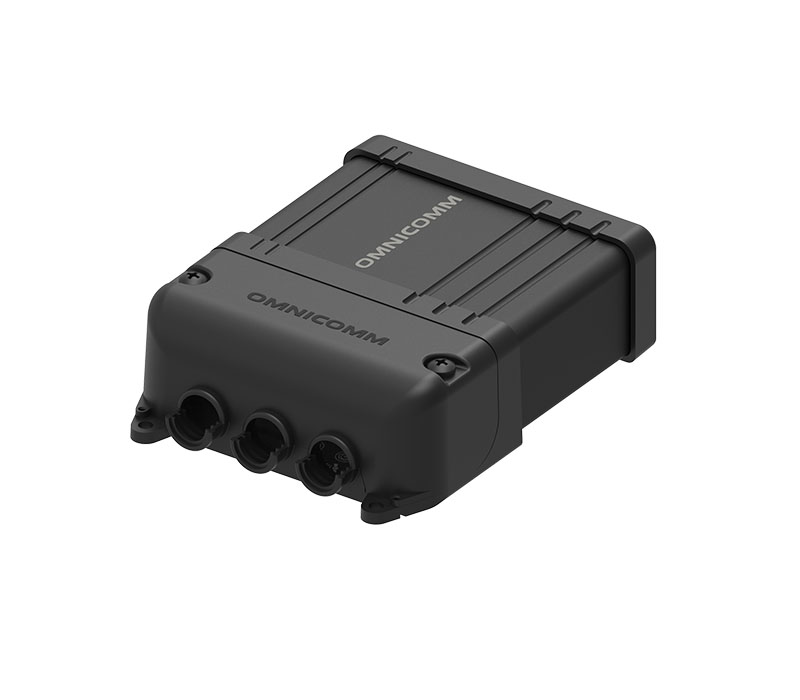
Omnicomm Profi GPS tracker for fuel consumption monitoring

2. GPS tracker

Logs every entry and exit, even during network gaps.

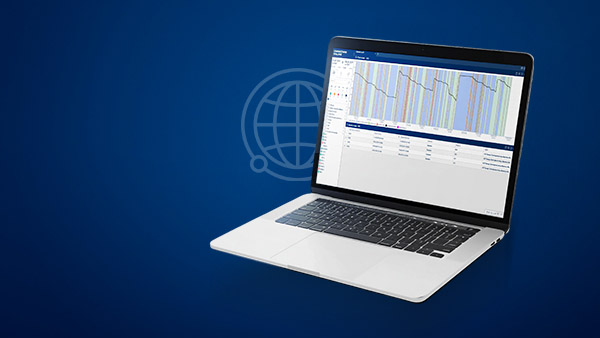
Omnicomm Online fuel consumption monitoring software

3. Omnicomm Online

Geofence Visits report: time and fuel in each zone.

Transport and Fuel Monitoring in Logistics

4. Alerts

Email and SMS on every geofence breach.

What geofencing fleet management controls

Entries and exits

A time stamp for every zone visit.

Time on site

Actual hours each machine spent in the zone.

Unauthorized use

Zone exits and trips outside the plan.

Speed in zones

Separate speed limits inside geofences.

Route deviations

The track shows where a unit left its route.

Fuel per zone

Consumption inside and outside each geofence.

Client results

40%

better fleet usage · Fides Mining, Brazil

Read the case →

20–30%

fleet-wide fuel savings · municipal fleet, Belgrade

Read the case →

32%

fuel savings · SBI, Tanzania

Read the case →

€60,000

annual savings · PZC Varaždin, Croatia

Read the case →

Which zones cost you the most fuel?

Tell us about your sites and fleet — we will show how geofencing and fuel data work for your operation.

Vehicle geofencing software: what you actually see

GPS tracker onlyGPS tracker + fuel sensor
Entry and exit time per zone✓✓
Instant alert on a zone breach✓✓
Fuel burned inside each zone✕✓
Refuelling tied to the location✕✓
Fuel drain detected on site✕✓

Geofencing software for fleets and heavy equipment

Geofencing software draws virtual boundaries around job sites, quarries, fields, depots and restricted areas and records every time a vehicle or machine crosses them. Geofencing for heavy equipment answers three questions that dots on a map do not: was the machine where it should be, how long did it work there, and did it leave without permission?

Read more about fleet geofencing

How fleet geofencing works in Omnicomm Online

Zones are drawn on the map in Omnicomm Online. The GPS tracker on each unit reports its position, and the platform logs every entry and exit. The Geofence Visits report shows the actual time each machine spent in a zone, the Events report lists zone entries, exits and speed violations, and the Track and Location reports show where a unit left its zone or route. Alerts about geofence breaches are sent by email and SMS.

Geofencing alerts against unauthorized use of vehicles

Heavy equipment and company vehicles are expensive to run outside the plan. A zone exit after working hours, a trip to an unplanned location or a machine entering a restricted area becomes an event the dispatcher sees right away, not at the end of the month. Fides Mining in Brazil faced exactly this risk with about 260 vehicles and machines and took fleet usage under control with Omnicomm Profi Wi-Fi trackers, LLS fuel sensors and RFID accessories.

Geofencing plus fuel monitoring

Combined with Omnicomm fuel level sensors, geofencing shows fuel consumption inside and outside each zone, and every refuelling or drain is tied to the place where it happened. That is how location data turns into fuel savings: unauthorized trips, idling on site and drains stop being invisible. See fuel consumption control for the sensor side, speed and driving behavior control for speed limits inside zones, and driver control to see who was operating the machine.

Remote sites and integrations

Quarries, mines and fields often have no cellular coverage. Omnicomm trackers keep data during network gaps and upload it later, and Profi Wi-Fi uploads over Wi-Fi at the depot — see operation in areas without cellular coverage. Geofence definitions and breach events are also available through the REST API for ERP and BI systems.

Geofencing for heavy equipment FAQ

Can vehicle tracking and fuel monitoring be combined in one system?

Yes. A unified vehicle tracking and fuel monitoring system pairs a GPS tracker (capturing location, speed, ignition, and driver behavior) with a connected LLS fuel sensor (capturing the in-tank fuel level), with both data streams flowing into one software platform. OMNICOMM LLS sensors plug into any tracker that supports the LLS protocol, which is virtually every modern fleet telematics terminal, so the combined platform can be built on the OMNICOMM stack or on the buyer's existing telematics provider.

Running tracking and fuel monitoring as separate platforms is the most common operational pain point fleets bring to OMNICOMM. Two platforms means two licenses, two dashboards, two sets of alerts, and constant data reconciliation between systems whose timestamps and vehicle IDs often disagree. A unified architecture eliminates that overhead. A single login shows real-time vehicle position on the map with fuel level overlaid, every refuel event is geo-tagged to the station where it happened, and every drain event is tagged to the location and driver responsible. Reports combine route, speed, idle time, fuel consumption, and theft alerts in one view. For fleets already running a third-party tracking platform they want to keep, OMNICOMM LLS sensors integrate directly via the LLS protocol so fuel data feeds into the existing telematics platform without forcing a switch. White-label partners often deliver the combined platform under their own brand.

Can I access Omnicomm Online from a phone or tablet?

Yes. Omnicomm Online is a responsive web application that runs in any modern browser on a desktop, tablet, or smartphone. Fleet managers, dispatchers, and operators log in from any device with internet access and see the same real-time fuel and location data. No native app installation is required, the platform is GDPR compliant, and access is role-based.

The web-first approach is intentional and has three practical benefits. New features and bug fixes roll out instantly to every user without app-store review cycles or version fragmentation across the fleet. IT teams do not have to push installations to drivers' personal devices, which is the biggest source of friction in mobile-app rollouts. And partners running white-label deployments maintain a single platform rather than separate iOS, Android, and web codebases. Critical events such as fuel drains, geofence breaches, and threshold consumption are delivered through email and SMS alerts, so important notifications reach the right person whether they are at a desktop or on the road. OMNICOMM does not ship a native iOS or Android app and has no plans to, since the web platform delivers the same functionality at a lower lifecycle cost. White-label partners with a specific reason to ship a branded native app can build their own native shell over the responsive web platform.

How does fuel monitoring work at remote sites without reliable internet?

Remote sites without reliable cellular or wired internet are a core OMNICOMM use case. The fuel sensor itself is wired to a tracker via RS-485 / MODBUS and works independently of any network. The connected GPS tracker buffers events locally and uploads them on the next available link, whether that is cellular, Wi-Fi at a depot or fuel station, or a wired connection at base. No fuel data is lost during the offline period.

Mining haul trucks operating in pits with no cellular signal, agricultural tractors crossing fields beyond 4G coverage, forestry machinery deep in remote blocks, and offshore support vessels all share the same operating pattern: hours or days without an internet link, followed by occasional time at a base location. Any GPS tracker with enough onboard storage and a Wi-Fi or cellular uplink can handle this workflow; the choice depends on the buyer's existing fleet platform. OMNICOMM's Profi 3.0 Wi-Fi is one option and is built specifically for this pattern, with internal storage that buffers up to several weeks of detailed event data and automatic upload over Wi-Fi when the vehicle parks at a depot or fuel station hotspot. Third-party trackers that support the LLS protocol can deliver the same offline-then-upload behavior using their own buffer and uplink. Fides Mining in Brazil runs OMNICOMM sensors across a 260-vehicle fleet in remote Matupa using this approach. Agricultural and construction fleets in similar conditions follow the same workflow. For permanent installations on stationary generators or fuel tanks at remote sites, the same pattern applies: the chosen terminal handles offline buffering and periodic upload so a generator's daily fuel consumption is captured even when the site has no cellular service for weeks at a time.

Does a fuel monitoring system have an API for integrations?

Yes. OMNICOMM offers a REST API with full developer documentation through the OmniDoc portal, plus the OMNICOMM LLS protocol on the hardware side (RS-232 and RS-485). The combination lets integrators pull fuel and trip data into ERP, CRM, billing, BI, and third-party telematics platforms, or feed OMNICOMM sensor data into any LLS-compatible terminal.

The REST API exposes the full Omnicomm Online data model. Integrators can pull vehicles, trips, drivers, fuel events, geofence breaches, maintenance records, and reports, and can push back configurations such as alert thresholds, driver assignments, and geofence definitions. Authentication is token-based, and the OmniDoc portal includes example calls and reference docs for developers. For partners building custom dashboards, white-label apps, or industry-specific solutions on top of the OMNICOMM platform, the API is the integration backbone. Common integration patterns include syncing fuel events to a corporate BI tool (PowerBI, Tableau, Looker), feeding consumption data to an ERP for accounting reconciliation, and pushing driver-behavior scores to an HR or safety management system. OMNICOMM's partner network includes specialist integration consultancies that deliver end-to-end custom integrations, and OMNICOMM's own integration team supports complex multi-system rollouts.

What are OMNICOMM Optim and Profi GPS trackers used for?

Optim 3.0 is the reliable freight-transport tracker. It supports GPRS and SMS, integrates easily with LLS sensors, and is rated IP52. Profi 3.0 is built for extreme conditions, with wide voltage tolerance, heavy vibration resistance, IP54, used in mining, construction, and fuel tankers. Profi 3.0 Wi-Fi adds local-network data transfer for sites with no cellular coverage. All trackers carry a 3-year warranty.

Optim 3.0 is the right choice for delivery vans, light commercial diesel trucks, and freight fleets operating in areas with stable cellular coverage. It is the lower-cost tracker in the lineup and integrates with standard fleet management workflows. Profi 3.0 steps up to handle the abuse heavy diesel machinery delivers daily: temperature extremes from minus 40 to plus 85 Celsius, voltage spikes from auxiliary equipment, vibration from off-road operation, and dust ingress from quarries and construction sites. It is the recommended tracker for diesel excavators, haul trucks, drilling rigs, cranes, and tankers. Profi 3.0 Wi-Fi adds a critical capability for remote operations: when the vehicle returns to a Wi-Fi hotspot at the depot or worksite, it offloads buffered data automatically. This is the standard for mining fleets in remote areas, agricultural operations across large fields, and any site where cellular service is unreliable or expensive. All three trackers speak the OMNICOMM LLS protocol over RS-485, which lets partners pair them with OMNICOMM sensors or mix and match with third-party hardware.

All questions →

BECOME OUR PARTNER OR CLIENT