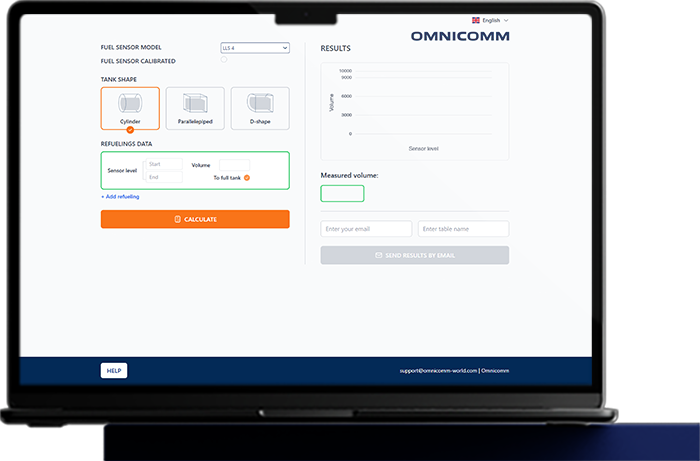
Omnicomm TAREX

Automatic tank-calibration service

WHY IT’S IMPORTANT

The standard workflow for installing a fuel level sensor includes two key operations:

Sensor calibration after trimming it to match the tank depth
This step ensures the sensor correctly identifies the “empty” and “full” points, effectively mapping the measurement scale from 0 to 4095 across its active length
Fuel tank calibration
This creates a conversion table correlating fuel level with fuel volume, which is later used by the monitoring system

These two operations are time-consuming, require significant resources, involve handling fuel, and often demand bulky equipment and additional tools.

A traditional installation requires:

Investment in installation teams
Trained personnel
Installation time
Customer costs
(both direct and due to vehicle downtime)

HOW IT WORKS NOW

Measures the tank, drills a hole, and trims the sensor
20 min
Calibrates the sensor using a calibration tube
10 min
Installs the sensor
10 min
Performs the tank calibration
30-120 min
Connects the sensor to the GPS-tracker and seals the installation
10-60 min
THE INSTALLATION TAKES
4 HOURS
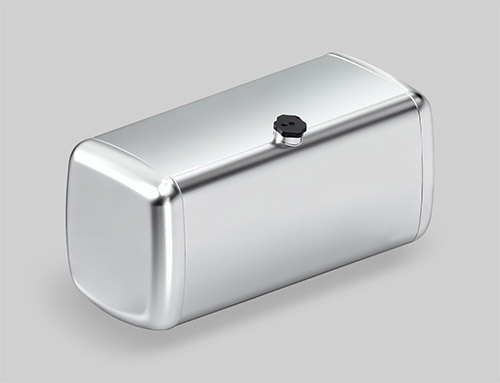
Most installations are performed on tanks of standard shapes.

However, simple geometric calculations without reference to the actual fuel level sensor still produce significant errors.
Omnicomm TAREX

WHAT IF WE COULD SIMPLIFY THE INSTALLATION?

Measures the tank, drills a hole, and trims the sensor
20 min
No calibration in a tube
0 min
Installs the sensor
10 min
No tank calibration
0 min
Connects the sensor to the GPS-tracker and seals the installation
10-60 min
TOTAL INSTALLATION TIME:
FROM 30 MINUTES

YOU WILL NO LONGER NEED TO BRING:

  • UNU-USB device for sensor configuration
  • Plastic calibration tube with plug (for Full-Empty calibration)
  • Calibration kit (pump, filter, flowmeter, nozzle) for automatic tank calibration
  • Reference gauge (10–20 L) for manual flowmeter calibration
  • Sufficient fuel to fill the tank to 100% for calibration
  • Laptop with Omnicomm Configurator installed

PROCESS

  • Install the sensor (no sensor or tank calibration needed).
  • Wait for 1–2 refueling events.
  • If the sensor is NOT calibrated, at least one refueling must fill the tank completely.
  • Enter the FMS data into the service (raw sensor data and the actual refueled volume).
  • Generate the calibration table.
  • Upload the table to the FMS

– No registration required
– Compatible with LLS 4 and LLS-AF 4 sensors
– Available in two languages